How to Order Food in China Using a QR Code
Many restaurants in China let you order by scanning a QR code at your table. This photo guide follows a real dine-in order at a Dumpling Xi (喜家德) restaurant near Beijing South Railway Station.
Real example photographed on May 7, 2025 · 10 original photos · Prices shown are historical examples, not current menu quotes.
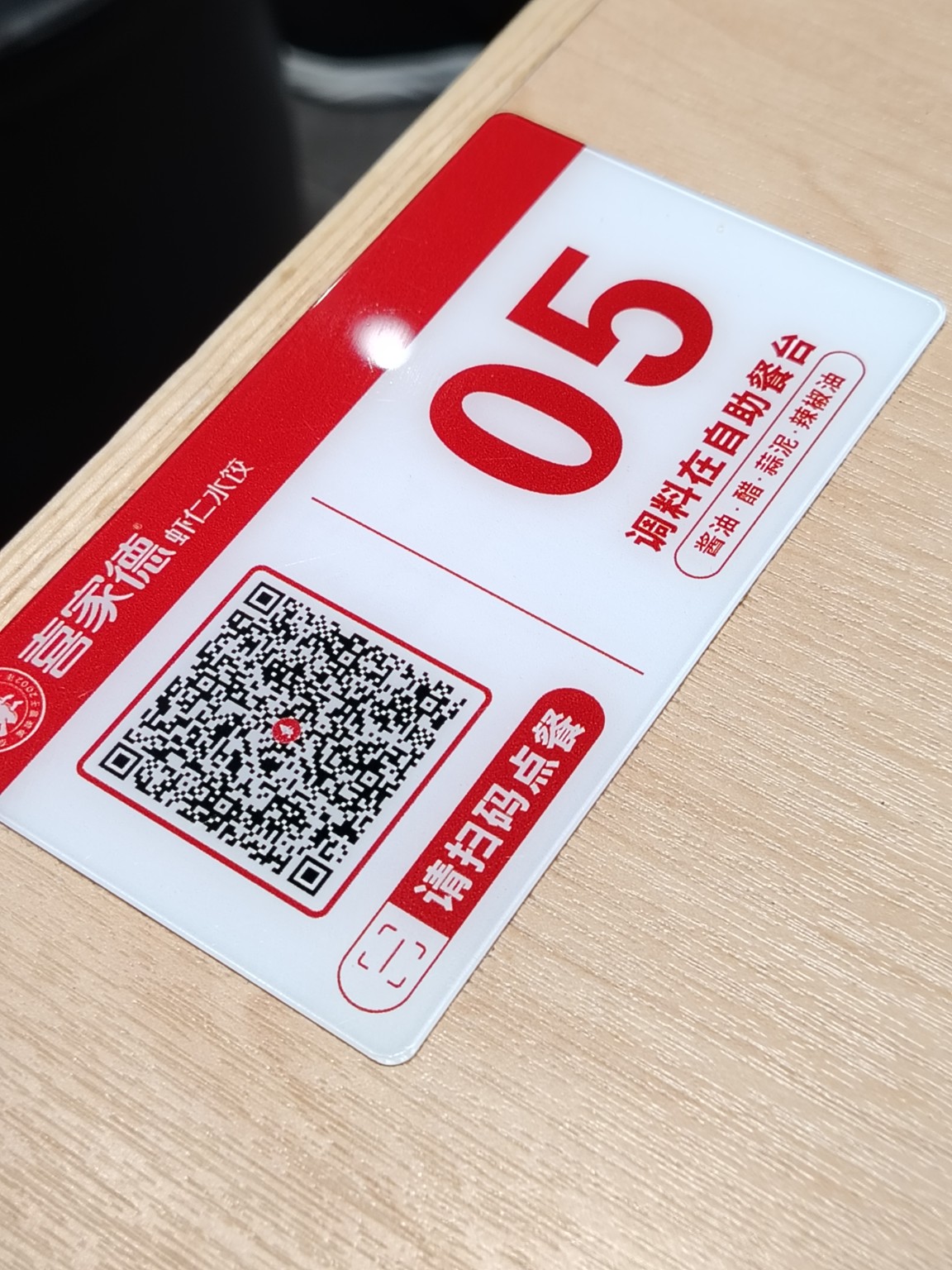
Find the QR code on your table
Look for the QR code and table number. In this example, the table is 05. Open WeChat, select Scan, and point the camera at the code.
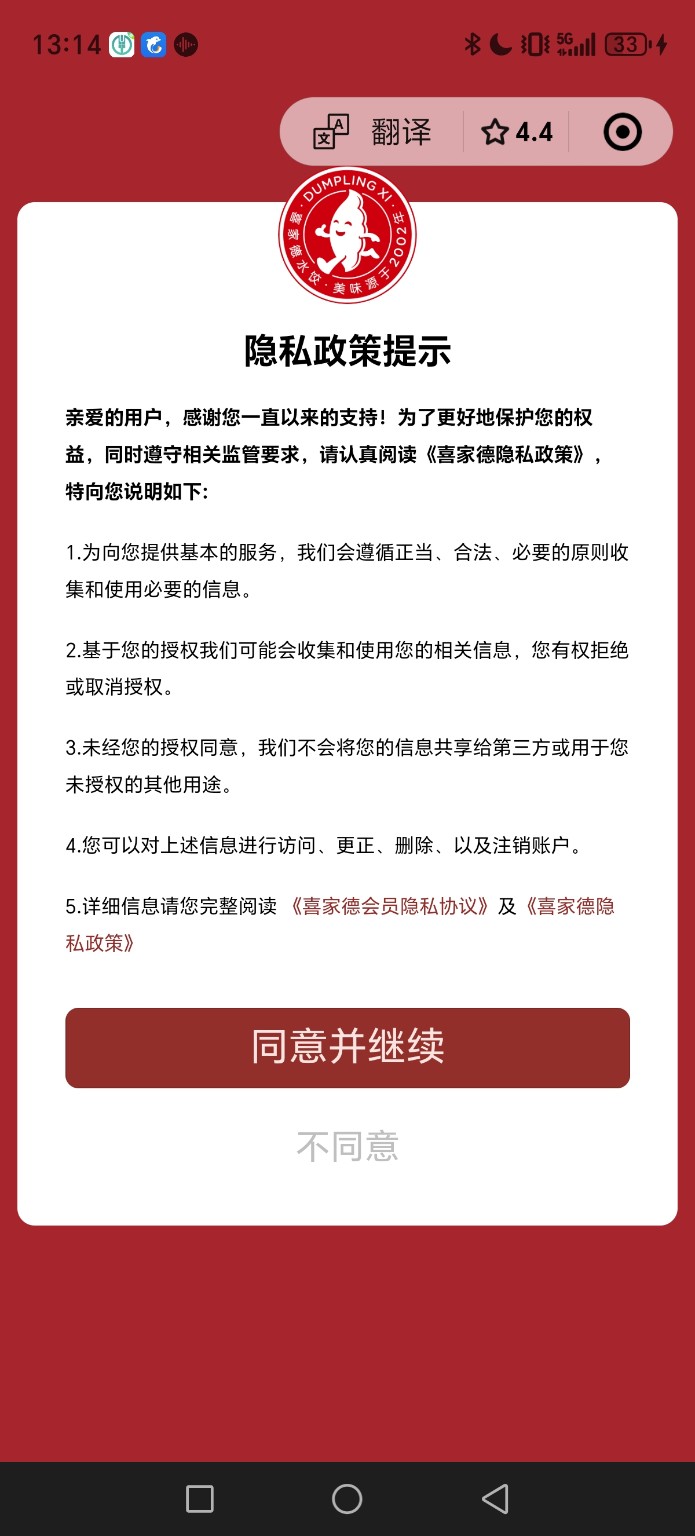
Read the privacy notice
The restaurant mini-program may show a privacy notice. “同意并继续” means “Agree and continue”. Read the notice before deciding.
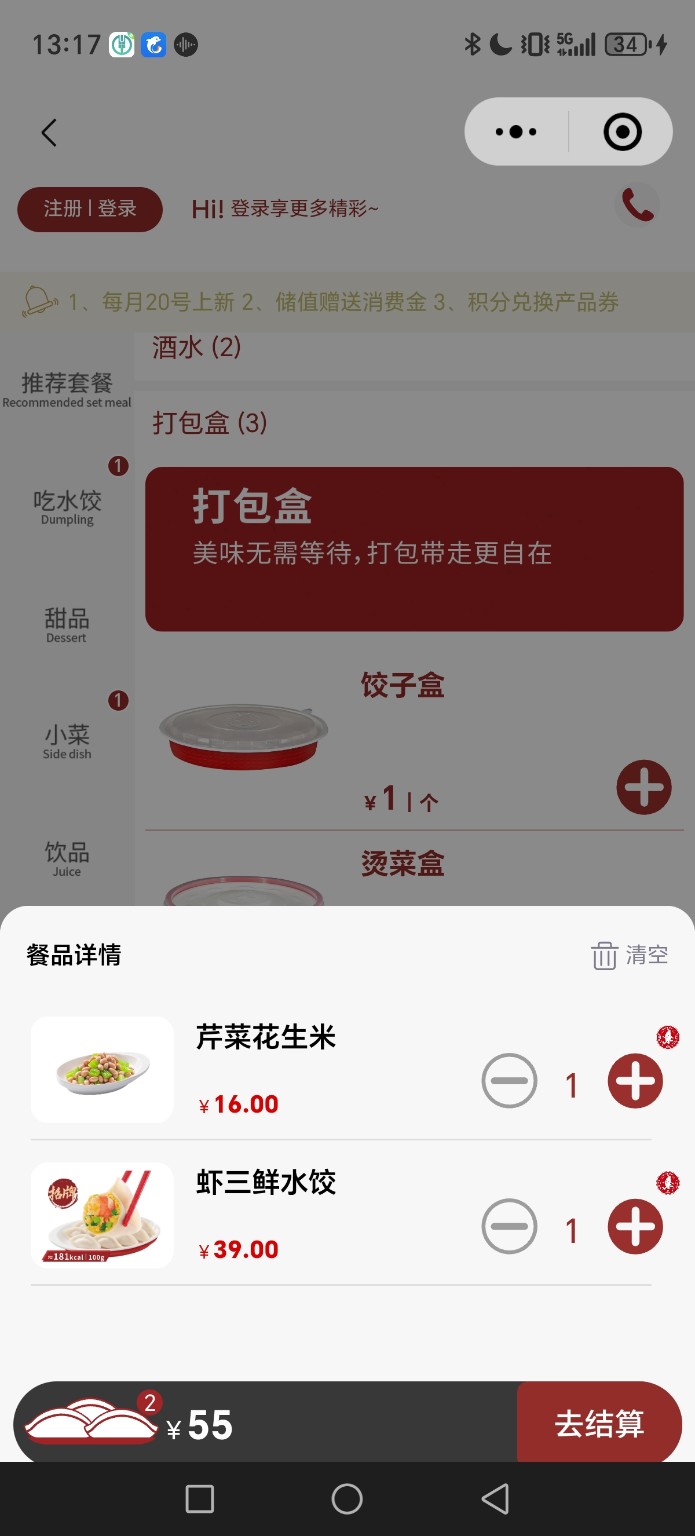
Check your selected dishes
The shopping cart shows dishes, quantities, and prices. Use the plus (+) and minus (−) buttons to change quantities.
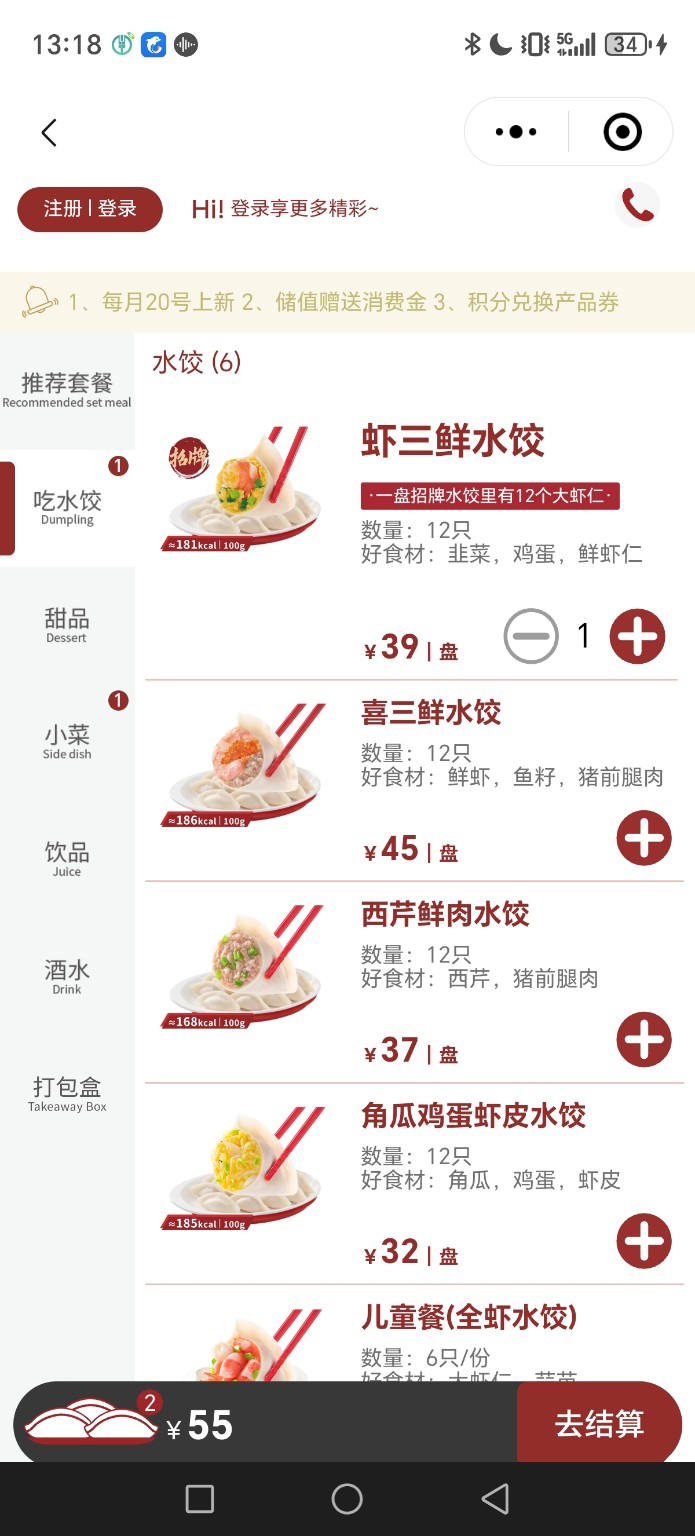
Browse the illustrated menu
Choose a category on the left, then select dishes from the pictures. Prices are in Chinese yuan (CNY).
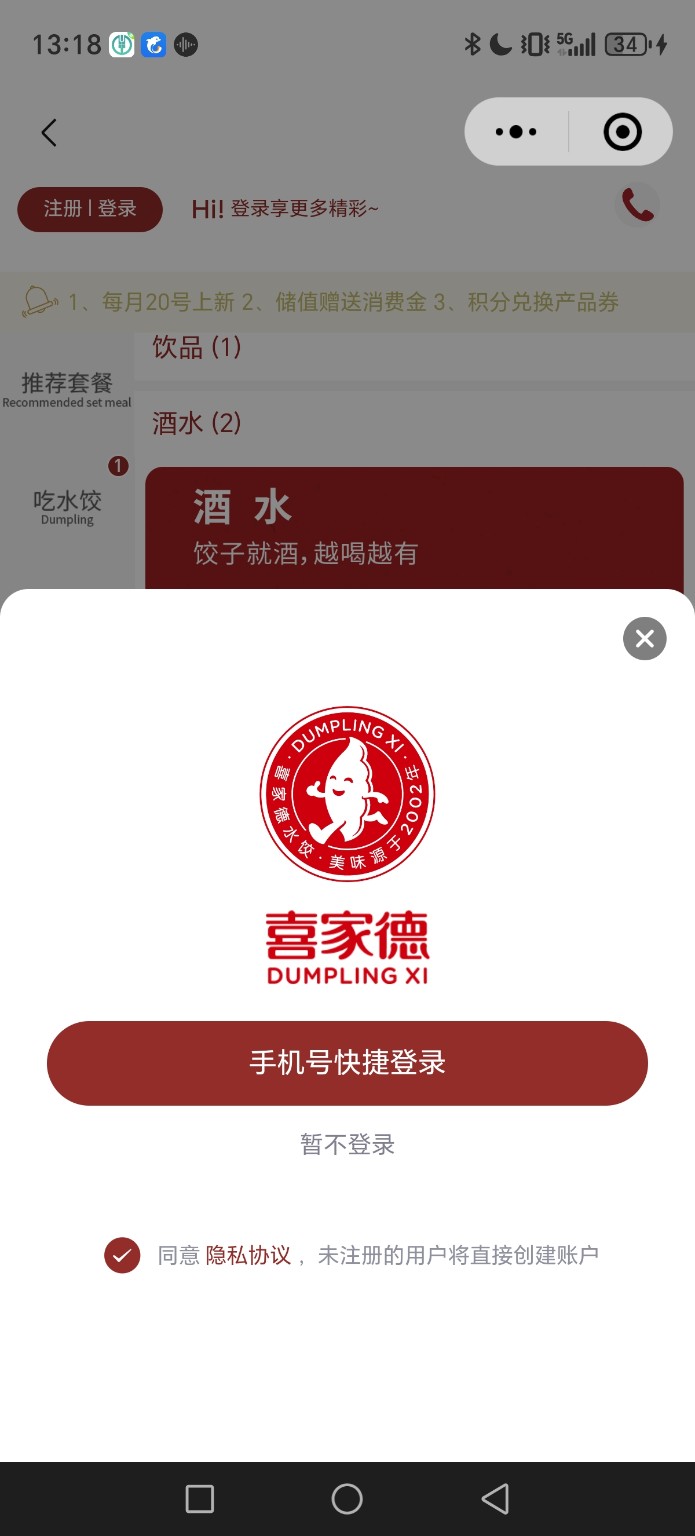
Handle the login prompt
Some systems offer mobile-number login. Here “暂不登录” means “Not now”. It may be possible to continue without registering.
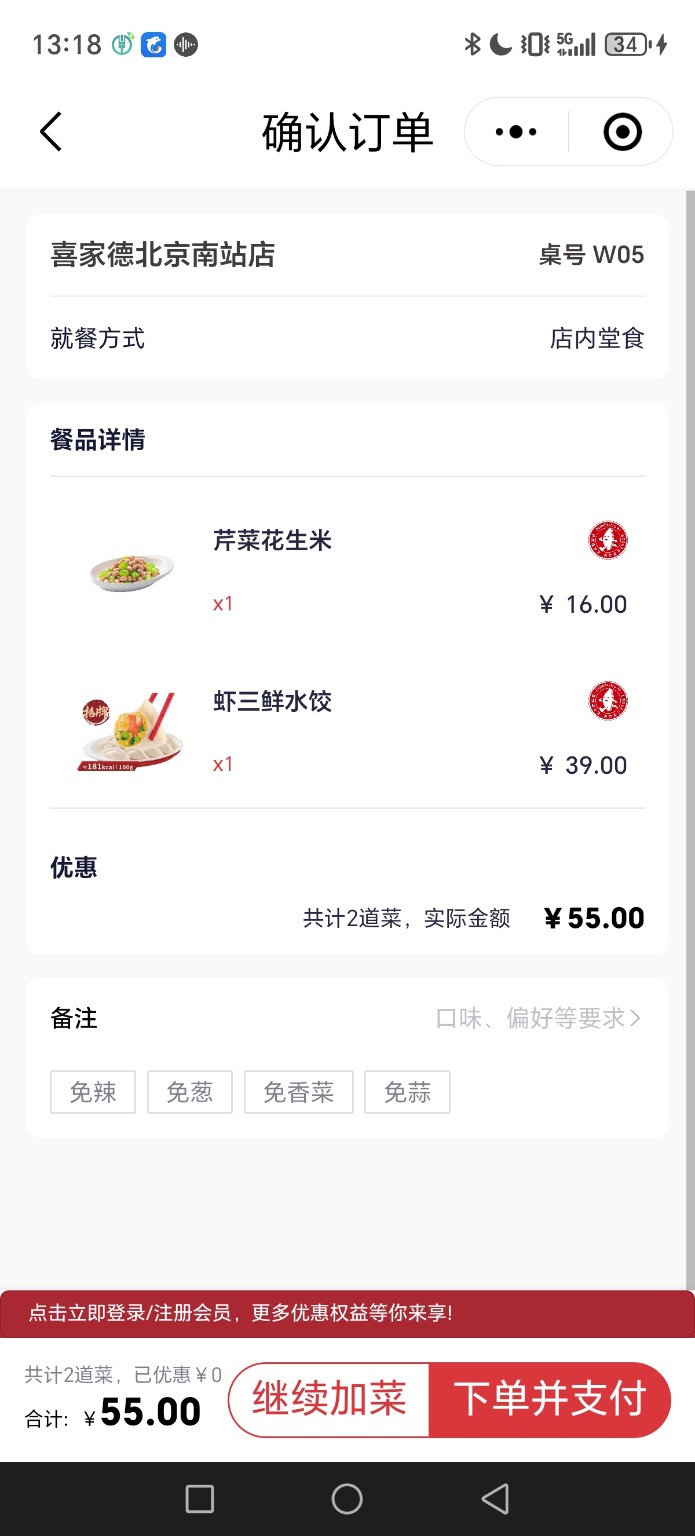
Review your order
Confirm the restaurant, table number, dine-in option, dishes, total, and any food preferences before paying.
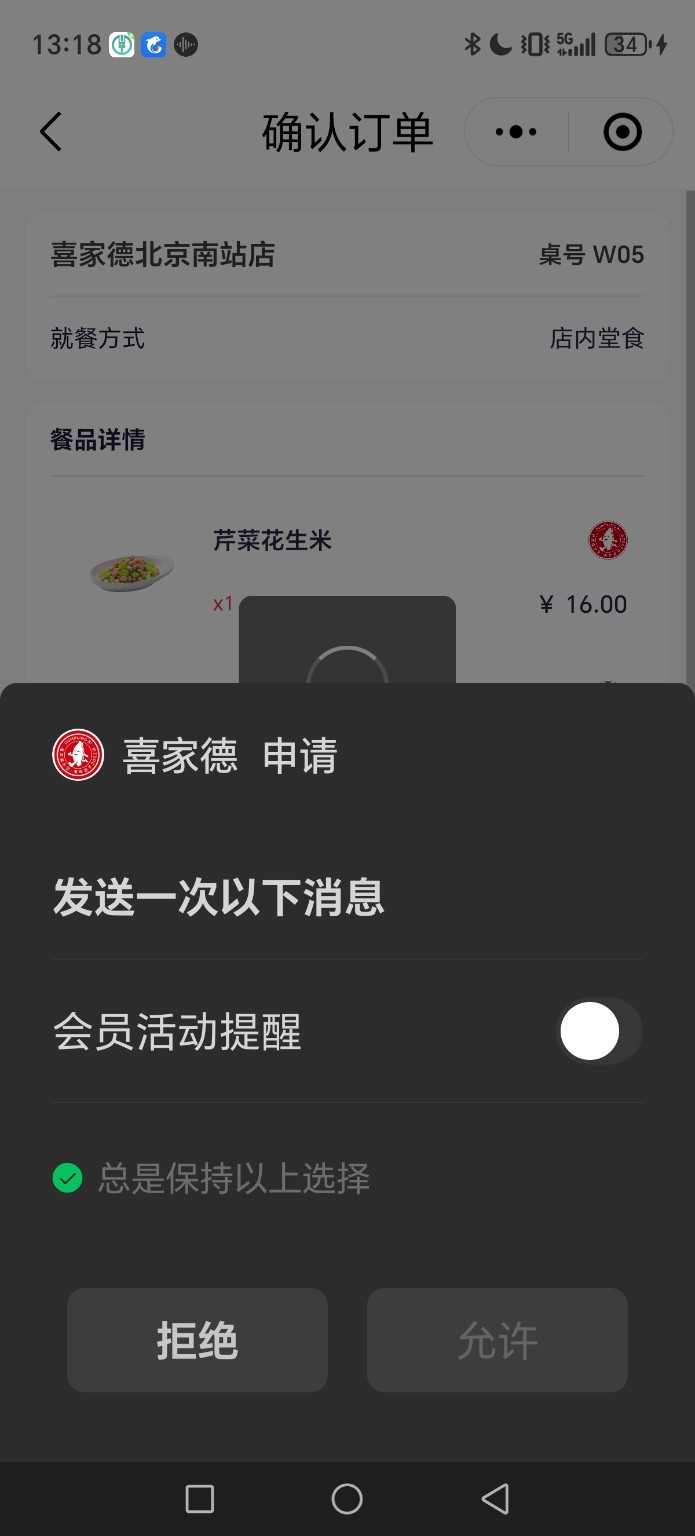
Decide about notifications
WeChat may ask permission to send membership notifications. You can refuse optional marketing notifications.
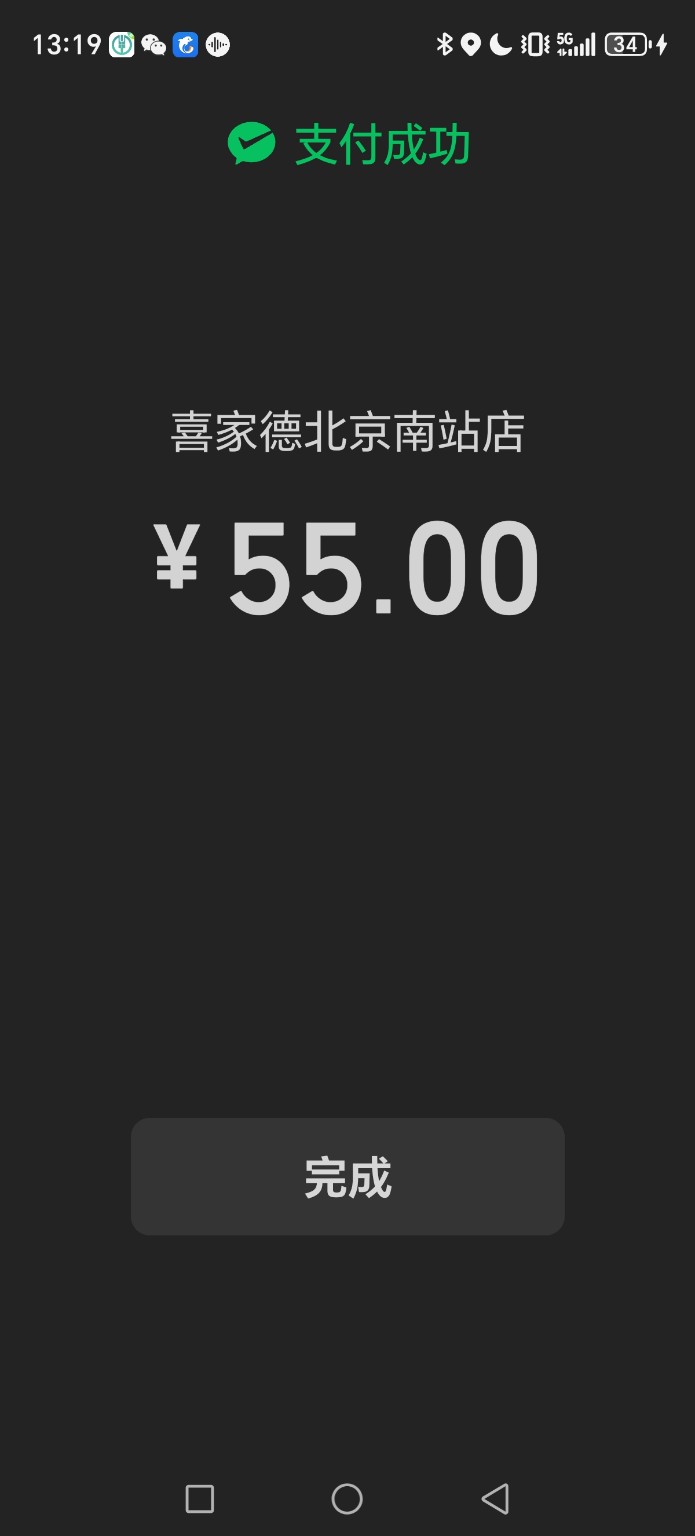
Check payment confirmation
This example shows a successful payment of ¥55. Keep the confirmation screen until the order is accepted.
Keep the printed receipt
The receipt shows the table number, items, and payment total. It is useful if you need help from restaurant staff.
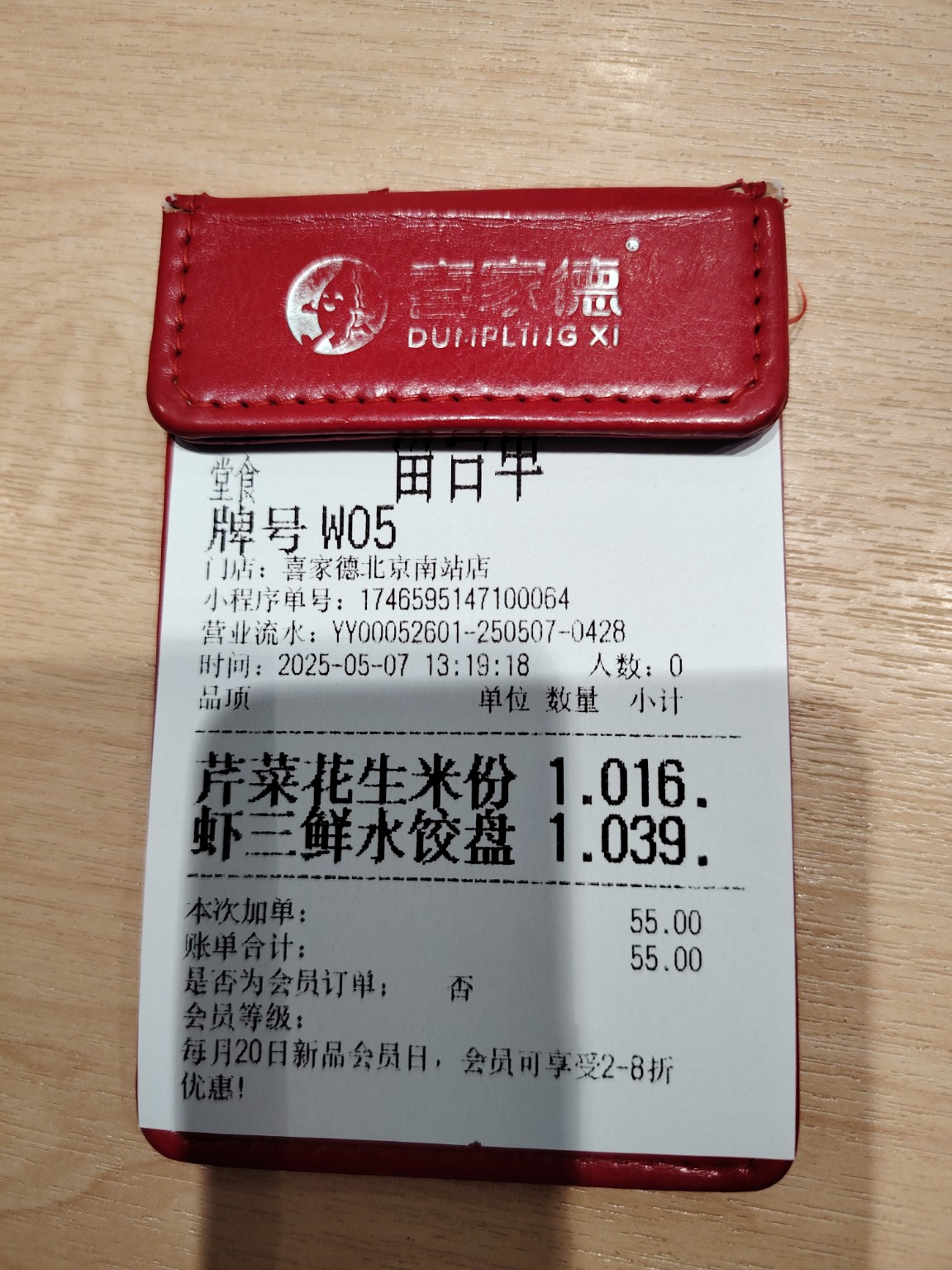
Enjoy your meal
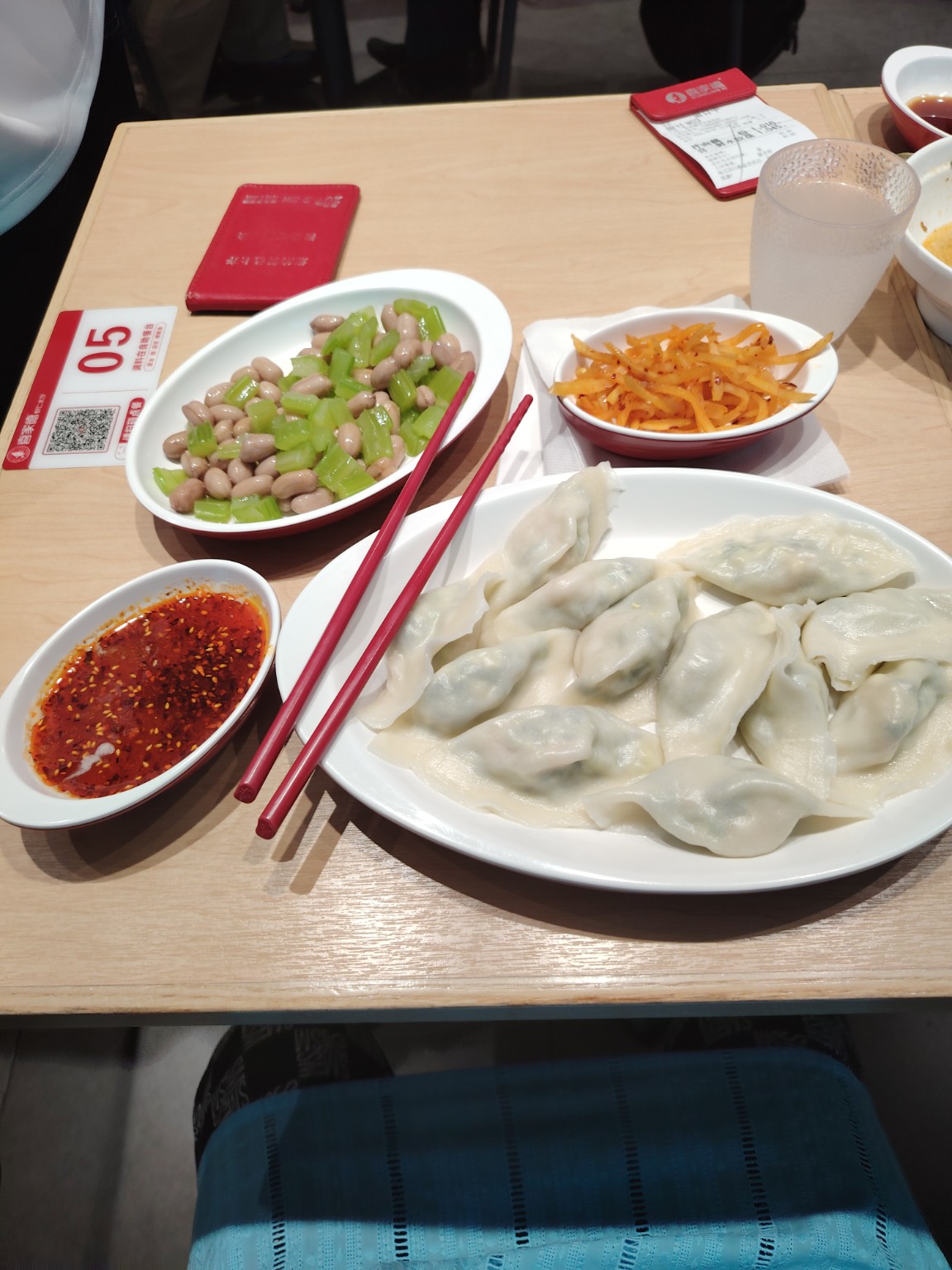
The actual food arrives at the table. This example includes celery with peanuts and shrimp dumplings.
Useful Chinese buttons
| Chinese | English |
|---|---|
| 扫一扫 | Scan QR code |
| 同意并继续 | Agree and continue |
| 暂不登录 | Not now / Skip login |
| 去结算 | Go to checkout |
| 下单并支付 | Place order and pay |
| 支付成功 | Payment successful |
| 堂食 | Dine in |
| 免辣 | No chili / Not spicy |